

Back to blog
Filter by:
Tags
- Knowledge
- technology
- OOP
- Tips
- Programming
- Tips
- Tutorial
- SEO
- Ranking
- Knowledge
- Special Day
- Seo
- Bug
- Data science
- Seo
- artificial intelligence
- Machine Learning
- Robotics
- happyNewYear2021
- newYearEve
- 2021
- Automation
- Smart Home
- Career
- Best Practices
- Git
- Logging
- Web Fundamentals
- DNS
- HTTPS
- Performance
- AI Tools
- ChatGPT
- Claude
- Gemini
- Laravel
- Eloquent
- MySQL
- HTTPS
- TLS
- Web Security
- Certificates
- Developer Life
- Debugging
- Docker
- DevOps
- Transactions
- Queues
- LLMs
- AI
- AI Coding
- Developer Tools
- React Native
- Expo
- Kate PMS
- Mobile Apps
- Laravel
- Authentication
- Sanctum
- Cookies
- API Design
- Payments
- Idempotency
- DeepSeek
- Open Source AI
- LLMs
- AI News
- Git
- Version Control
- AI Coding
- Prompting
- PHP
- Checklist
- MCP
- AI Agents
- OpenAI
- Architecture
- Microservices
- Modular Monolith
- Estimation
- Developer Life
- Project Planning
- Humour
- OAuth
- OpenID Connect
- Authentication
- Embeddings
- Vector Search
- RAG
- pgvector
- OpenAI
- GPT-4.1
- Codex CLI
- Events
- Testing
- Clean Code
- Maintainability
- Code Review
- Webhooks
- API
- Security
- Claude Code
- Workflow
- AI
- LLM
- Prompt Injection
- Mobile
- React
- Networking
- TCP
- UDP
- HTTP/3
- CLAUDE.md
- AWS
- Cloud Security
- Backups
- PHPUnit
- Software Engineering
- Leadership
- Communication
- RAG
- Embeddings
- AI Engineering
- IT Infrastructure
- Networking
- Access Control
- CI/CD
- GitHub Actions
- Gemini CLI
- Claude Code
- JavaScript
- Async/Await
- Node.js
- Promises
- Security
- Cryptography
- Passwords
- MySQL
- Database
- Vibe Coding
- Software Quality
- DNS
- Code Reading
- Onboarding
- Productivity
- Background Jobs
- Developer Humour
- Estimates
- Dev Life
- JWT
- o3-mini
- DeepSeek R1
- Rate Limiting
- Kate PMS
- E-Signing
- Audit Trail
- REST
- GraphQL
- API Design
- Laravel 12
- Upgrade Guide
- Open Source
- Self-Hosting
- Task Scheduling
- Cron
- Secrets
- CORS
- PHP
- PHP-FPM
- OPcache
- GitHub Copilot
- Software Architecture
- Engineering
- TypeScript
- JavaScript
- Type Safety
- AI Security
- React Native
- Product Design
- AI Agents
- Kiro
- Queues
- Redis
- RabbitMQ
- AWS SQS
- Nginx
- Apache
- GPT-5
- gpt-oss
- Clean Code
- Architecture
- Naming
- Documentation
- Career
- ADR
- Teamwork
- Supply Chain
- Kate HRM
- HR Software
- Permissions
- System Design
- Pagination
- SSH
- Linux
- Big O
- Databases
- Laravel Boost
- MCP
- Developer Skills
- Validation
- Databases
- Indexes
- Code Quality
- Deployment
- Developer Humour
- Feature Flags
- Code Review
- Pull Requests
- Docker
- Cursor
- Authorization
- RBAC
- Gemini
- Long Context
- PHP 8.4
- Caching
- Dependency Injection
- Web Performance
- Browser
- CSS
- Database
- Migrations
- ChatGPT
- AI for Developers
- Monitoring
- On-Call
- REST
- Backend
- SQL
- NoSQL
- Database Design
- Coding Agents
- Claude 4
- API Resources
- REST API
- Load Balancing
- Scaling
- AWS
- AI Tools
- Claude
- Sora 2
- CTE
- 2FA
- TOTP
- Programming Languages
- Prompts
- Developer Workflow
- API Gateway
- APIs
- Passport
- API Auth
- Learning
- Burnout
- Developer Growth
- Web Development
- SEO
- Kate Mall
- ChatGPT Atlas
- Agent Skills
- Middleware
- Laravel 12
- Collections
- Context Window
- Monitoring
- Commit Messages
- Self Review
- Growth
- Regex
- Programming Basics
- Text Processing
- Database Design
- Normalization
- Linux
- Server Security
- Linux Foundation
- Open Standards
- Legacy Code
- Documentation
- AI Workflow
- File Uploads
- Test Data
- Hashing
- Performance
- Caching
- Enums
- Scope Creep
- Estimation
- Codex
- Gemini CLI
- Timezones
- Carbon
- Bugs
- PHP 8.5
- Gemini 3
- GPT-5.1
- Data Integrity
- Event Loop
- Async
- Opus 4.5
- AI Models
- React
- Forms
- Frontend
- Backups
- AI Images
- DALL-E
- Midjourney
- Race Conditions
- Concurrency
- Legacy Code
- Refactoring
- Senior Engineer
- Scope
- LLM
- CDN
- Web
- Sub-Agents
- Soft Deletes
- Audit Log
- Concurrency
- AI Learning
- NestJS
- AI Evals
- Policies
- SPF DKIM DMARC
- Unicode
- UTF-8
- Knowledge Graph
- Value Objects
- Technical Debt
- Feature Flags
- Laravel Pennant
- Deployment
- Copilot
- Composer
- Dependencies
- Artisan
- Automation
- AWS S3
- Object Storage
- Cloud
- Small Language Models
- Ollama
- Production
- Sessions
- HTTP
- Mentoring
- SQL
- Virtual Machines
- Web Development
- HTTP/2
- QUIC
- Web Performance
- AI Integration
- LLM API
- SOLID
- OOP
- Hosting
- Serverless
- Merge Conflicts
- Temperature
- AI Development
- Reverse Proxy
- Nginx
- Infrastructure
- Verification
- Passkeys
- WebAuthn
- Teams
- Communication
- Stakeholders
- Monorepo
- CI/CD
- Versioning
- JSON Schema
- Livewire
- Inertia
- Meetings
- Distributed Systems
- Privacy
- Full-Stack
- T-Shaped Skills
- Money
- Notifications
- Web Security
- HTTP Headers
- CSP
- Function Calling
- Load Testing
- k6
- Data Extraction
- Debugging
- WebSockets
- SSE
- Real-Time
- Laravel Reverb
- Infrastructure as Code
- Terraform
- Side Projects
- Laravel Pint
- OpenAPI
- Swagger
- UX
- Multimodal
- Jest
- Pair Programming
- APIs
- Rate Limiting
- Resilience
- Dev Humour
- Design Tokens
- JWT
- API Keys
- Sessions
- PHPStan
- Rector
- Incidents
- Reporting
- Dashboards
- Zero Trust
- IAM
- Search
- Laravel Scout
- Junior Developers
- Mentoring
- Images
- WebP
- AVIF
- Bug Reports
- Let's Encrypt
- Design Docs
- Software Design
- Observers
- Replication
- Accountability
- Data Structures
- Reliability
- LLM Memory
- Error Handling
- Payments
- Payment Gateway
- Webhooks
- PCI DSS
- Observability
- OpenTelemetry
- Personal Brand
- Writing
- Conventions
- Dates
- Scheduling
- Disaster Recovery
- Compression
- Brotli
- Deadlines
- Developer Habits
- State Machines
- Tech Roles
- UUID
- ULID
- Horizon
- Planning
- Engineering Culture
- Ownership
- Soft Skills
- Socialite
- Cost Control
- Collations
- Unicode
- Octane
- PostgreSQL
Categories
//Article title
Stop Running Tinker in Production: Artisan Commands for Everyday Admin Tasks
About Post
Somewhere on a production server right now, a developer is typing into php artisan tinker. Slowly. One line at a time. Rereading the where clause three times before pressing Enter, because if it's wrong, it's wrong for every row in the table.
Most of us have been that developer. Tinker is brilliant for poking around, but it's a bad home for admin work that matters. There's no review, no dry run, no record of what was actually run, and next month someone will type a slightly different version of the same query from memory.
The fix is boring in the best way: turn the chore into an Artisan command. Let's build one properly, step by step, and pick up the gotchas along the way.
The chore
A realistic one: deactivate user accounts that haven't logged in for a while. Operations asks for it every few months. Every time, someone writes the query again, and every time it's a little different.
We want a command that anyone on the team can run safely, that shows what it would do before doing it, and that can run unattended on a schedule.
Step 1: Generate it
php artisan make:command DeactivateInactiveUsersThat creates app/Console/Commands/DeactivateInactiveUsers.php. In Laravel 12, commands in that folder are discovered automatically, so there's nothing to register.
Step 2: Design the signature like an API
The signature is the command's public interface. Treat it the way you'd treat an endpoint: clear name, sensible defaults, documented options.
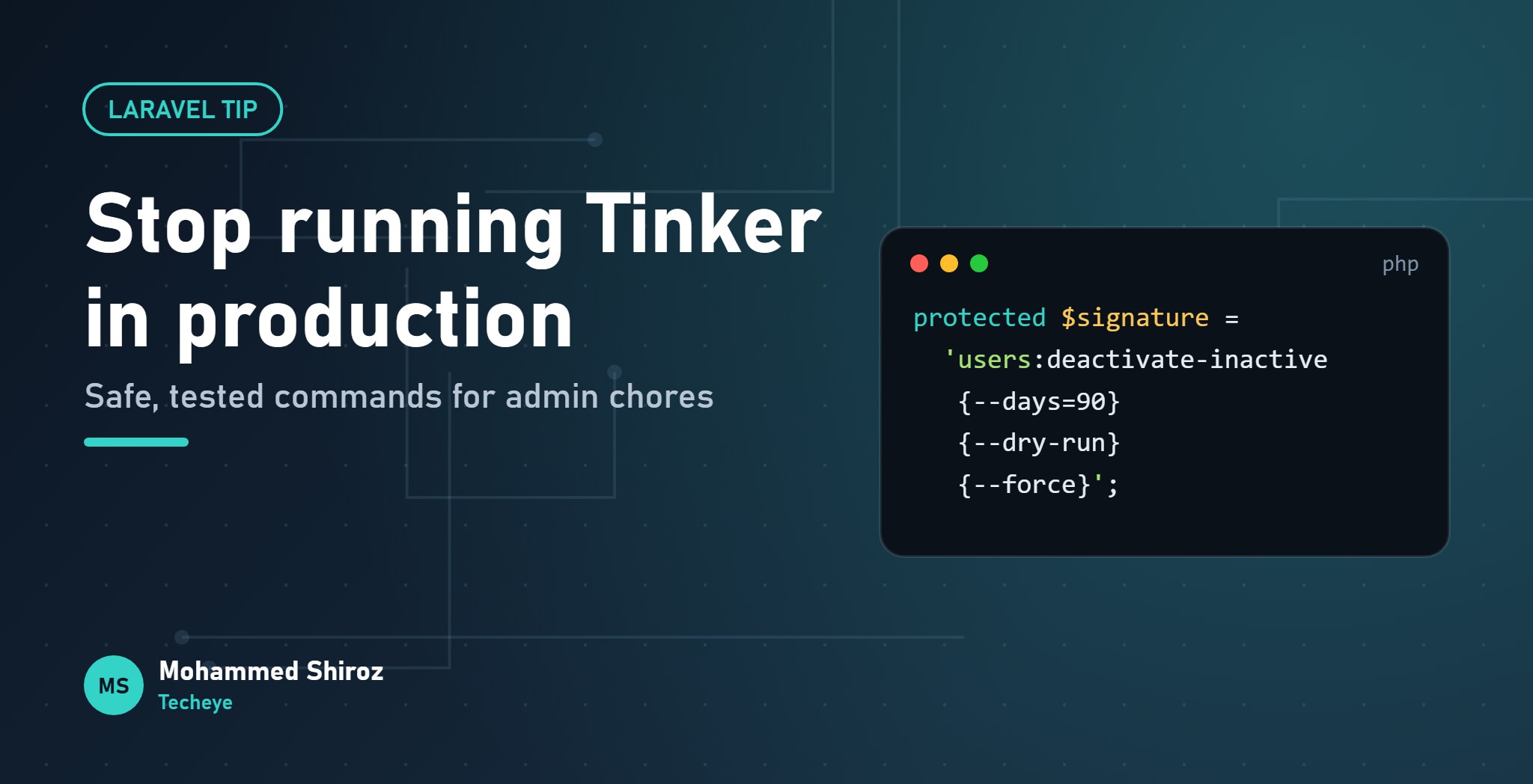
protected $signature = 'users:deactivate-inactive
    {--days=90 : Inactive for at least this many days}
    {--dry-run : List who would be deactivated, change nothing}
    {--force : Skip the confirmation prompt}';

protected $description = 'Deactivate users who have not logged in recently';
A few choices worth copying:
- Namespace the name (
users:). Your commands group together inphp artisan listinstead of hiding among the framework's. - Arguments for what's required, options for tweaks. Here everything has a safe default, so everything is an option.
- Describe every option. The text after the colon shows up in
php artisan help users:deactivate-inactive, which is the only documentation most people will read.
One small trap: $this->option('days') returns a string. Cast it before doing maths with it.
Step 3: Count first, and offer a dry run
The most useful habit for admin commands is showing the blast radius before anything changes.
public function handle(): int
{
    $days = (int) $this->option('days');

    $query = User::query()
        ->where('is_active', true)
        ->where('last_login_at', '<', now()->subDays($days));

    $count = $query->count();

    if ($count === 0) {
        $this->components->info('Nobody to deactivate.');
        return self::SUCCESS;
    }

    $this->components->info("{$count} users inactive for {$days}+ days.");

    if ($this->option('dry-run')) {
        $this->table(['ID', 'Email', 'Last login'],
            $query->limit(20)->get(['id', 'email', 'last_login_at'])->toArray());
        return self::SUCCESS;
    }

    // ...continued below
}
Now "what will this do?" has an answer you can paste into a chat before anyone presses the real button.
Step 4: Confirm, and know when confirmation lies
if (! $this->option('force') && ! $this->confirm('Proceed with deactivation?')) {
    $this->components->warn('Cancelled. Nothing was changed.');
    return self::FAILURE;
}
Here's the gotcha that catches people. When a command runs without a terminal, from cron, the scheduler or a CI job, the input is non-interactive. confirm() doesn't wait for anyone; it quietly returns its default, which is false.
So a scheduled command that asks for confirmation will cancel itself every single night, and unless you're reading its output, you'll never know. That's exactly why the --force option exists: humans get the prompt, machines pass the flag.
Step 5: Do the work in chunks, with a progress bar
$bar = $this->output->createProgressBar($count);

$query->lazyById(500)->each(function (User $user) use ($bar) {
    $user->update(['is_active' => false]);
    $bar->advance();
});

$bar->finish();
$this->newLine();
Log::info('Deactivated inactive users', ['count' => $count, 'days' => $days]);

return self::SUCCESS;
Two details matter here:
lazyById(), notget(). Loading every matching user into memory works on your laptop and falls over on the real table.- By ID, not by offset. We're updating
is_active, the same column we filter on. Offset-based chunking would skip rows as matching records drop out of the result set mid-loop. Paging by ID avoids that.
The progress bar isn't decoration either. On a long run it's the difference between "it's working" and "is it frozen? should I Ctrl+C?". Nobody should have to guess halfway through a bulk update.
Rule of thumb: if you've typed the same Tinker snippet on production twice, it deserves to be a command. The second time is the moment, because there will be a third.
Step 6: Schedule it
In Laravel 12, scheduled tasks live in routes/console.php:
use Illuminate\Support\Facades\Schedule;

Schedule::command('users:deactivate-inactive --force')
    ->dailyAt('02:00')
    ->withoutOverlapping()
->onOneServer();withoutOverlapping()stops a slow run from colliding with the next one.onOneServer()matters as soon as you have more than one app server running the scheduler. It needs a cache driver that supports atomic locks, such as Redis or the database driver.- None of this runs unless the server's cron calls
php artisan schedule:runevery minute. A surprising number of "the schedule doesn't work" issues are a missing cron entry.
The scheduling docs cover the rest, including time zones and running tasks in the background.
Step 7: Test it like any other feature
Because it's a command, it's testable. That alone makes it safer than anything typed into Tinker.
public function test_it_deactivates_only_inactive_users(): void
{
    $old = User::factory()->create(['is_active' => true, 'last_login_at' => now()->subDays(120)]);
    $recent = User::factory()->create(['is_active' => true, 'last_login_at' => now()->subDay()]);

    $this->artisan('users:deactivate-inactive')
        ->expectsConfirmation('Proceed with deactivation?', 'yes')
        ->assertSuccessful();

    $this->assertFalse($old->fresh()->is_active);
    $this->assertTrue($recent->fresh()->is_active);
}
Add a second test for --dry-run that asserts nothing changed. That's the test that protects you from the scariest regression.
Small touches that make commands pleasant
- Return real exit codes.
self::SUCCESSandself::FAILURElet cron monitors and CI know what happened. - Use
$this->components(info,warn,error,task) for consistent, readable output. - Prevent parallel manual runs by implementing the
Isolatableinterface; then--isolatedmakes a second copy exit instead of running twice. - Interactive helpers can use Laravel Prompts (
select,search,multiselect) when a human needs to pick something, like which tenant to export.
The full API is in the Artisan console docs.
The checklist
- A namespaced name and described options.
- Count first, offer
--dry-run. - Confirm for humans,
--forcefor machines. - Chunk by ID, show progress, log the result.
- Schedule with
withoutOverlapping(), and check cron is actually set up. - Write a test, including one for the dry run.
What's the admin chore your team still does by hand in Tinker or a SQL client, and what's stopping it from becoming a command?
01. About Shiroz

Mohammed Shiroz
Hi, I'm Mohammed Shiroz, a software engineer and AI enthusiast from Sri Lanka who turns ideas into intelligent, real-world solutions. With over 9 years of hands-on experience, I currently lead real estate ERP development at Kate Group, a...
02. Latest Posts


03.My Projects






 Sri Lanka
 United States
 Russia
 France
 Hong Kong SAR China
 Canada
 Brazil
 Spain
Spain
Be first to comment it...