

Back to blog
Filter by:
Tags
- Knowledge
- technology
- OOP
- Tips
- Programming
- Tips
- Tutorial
- SEO
- Ranking
- Knowledge
- Special Day
- Seo
- Bug
- Data science
- Seo
- artificial intelligence
- Machine Learning
- Robotics
- happyNewYear2021
- newYearEve
- 2021
- Automation
- Smart Home
- Career
- Best Practices
- Git
- Logging
- Web Fundamentals
- DNS
- HTTPS
- Performance
- AI Tools
- ChatGPT
- Claude
- Gemini
- Laravel
- Eloquent
- MySQL
- HTTPS
- TLS
- Web Security
- Certificates
- Developer Life
- Debugging
- Docker
- DevOps
- Transactions
- Queues
- LLMs
- AI
- AI Coding
- Developer Tools
- React Native
- Expo
- Kate PMS
- Mobile Apps
- Laravel
- Authentication
- Sanctum
- Cookies
- API Design
- Payments
- Idempotency
- DeepSeek
- Open Source AI
- LLMs
- AI News
- Git
- Version Control
- AI Coding
- Prompting
- PHP
- Checklist
- MCP
- AI Agents
- OpenAI
- Architecture
- Microservices
- Modular Monolith
- Estimation
- Developer Life
- Project Planning
- Humour
- OAuth
- OpenID Connect
- Authentication
- Embeddings
- Vector Search
- RAG
- pgvector
- OpenAI
- GPT-4.1
- Codex CLI
- Events
- Testing
- Clean Code
- Maintainability
- Code Review
- Webhooks
- API
- Security
- Claude Code
- Workflow
- AI
- LLM
- Prompt Injection
- Mobile
- React
- Networking
- TCP
- UDP
- HTTP/3
- CLAUDE.md
- AWS
- Cloud Security
- Backups
- PHPUnit
- Software Engineering
- Leadership
- Communication
- RAG
- Embeddings
- AI Engineering
- IT Infrastructure
- Networking
- Access Control
- CI/CD
- GitHub Actions
- Gemini CLI
- Claude Code
- JavaScript
- Async/Await
- Node.js
- Promises
- Security
- Cryptography
- Passwords
- MySQL
- Database
- Vibe Coding
- Software Quality
- DNS
- Code Reading
- Onboarding
- Productivity
- Background Jobs
- Developer Humour
- Estimates
- Dev Life
- JWT
- o3-mini
- DeepSeek R1
- Rate Limiting
- Kate PMS
- E-Signing
- Audit Trail
- REST
- GraphQL
- API Design
- Laravel 12
- Upgrade Guide
- Open Source
- Self-Hosting
- Task Scheduling
- Cron
- Secrets
- CORS
- PHP
- PHP-FPM
- OPcache
- GitHub Copilot
- Software Architecture
- Engineering
- TypeScript
- JavaScript
- Type Safety
- AI Security
- React Native
- Product Design
- AI Agents
- Kiro
- Queues
- Redis
- RabbitMQ
- AWS SQS
- Nginx
- Apache
- GPT-5
- gpt-oss
- Clean Code
- Architecture
- Naming
- Documentation
- Career
- ADR
- Teamwork
- Supply Chain
- Kate HRM
- HR Software
- Permissions
- System Design
- Pagination
- SSH
- Linux
- Big O
- Databases
- Laravel Boost
- MCP
- Developer Skills
- Validation
- Databases
- Indexes
- Code Quality
- Deployment
- Developer Humour
- Feature Flags
- Code Review
- Pull Requests
- Docker
- Cursor
- Authorization
- RBAC
- Gemini
- Long Context
- PHP 8.4
- Caching
- Dependency Injection
- Web Performance
- Browser
- CSS
- Database
- Migrations
- ChatGPT
- AI for Developers
- Monitoring
- On-Call
- REST
- Backend
- SQL
- NoSQL
- Database Design
- Coding Agents
- Claude 4
- API Resources
- REST API
- Load Balancing
- Scaling
- AWS
- AI Tools
- Claude
- Sora 2
- CTE
- 2FA
- TOTP
- Programming Languages
- Prompts
- Developer Workflow
- API Gateway
- APIs
- Passport
- API Auth
- Learning
- Burnout
- Developer Growth
- Web Development
- SEO
- Kate Mall
- ChatGPT Atlas
- Agent Skills
- Middleware
- Laravel 12
- Collections
- Context Window
- Monitoring
- Commit Messages
- Self Review
- Growth
- Regex
- Programming Basics
- Text Processing
- Database Design
- Normalization
- Linux
- Server Security
- Linux Foundation
- Open Standards
- Legacy Code
- Documentation
- AI Workflow
- File Uploads
- Test Data
- Hashing
- Performance
- Caching
- Enums
- Scope Creep
- Estimation
- Codex
- Gemini CLI
- Timezones
- Carbon
- Bugs
- PHP 8.5
- Gemini 3
- GPT-5.1
- Data Integrity
- Event Loop
- Async
- Opus 4.5
- AI Models
- React
- Forms
- Frontend
- Backups
- AI Images
- DALL-E
- Midjourney
- Race Conditions
- Concurrency
- Legacy Code
- Refactoring
- Senior Engineer
- Scope
- LLM
- CDN
- Web
- Sub-Agents
- Soft Deletes
- Audit Log
- Concurrency
- AI Learning
- NestJS
- AI Evals
- Policies
- SPF DKIM DMARC
- Unicode
- UTF-8
- Knowledge Graph
- Value Objects
- Technical Debt
- Feature Flags
- Laravel Pennant
- Deployment
- Copilot
- Composer
- Dependencies
- Artisan
- Automation
- AWS S3
- Object Storage
- Cloud
- Small Language Models
- Ollama
- Production
- Sessions
- HTTP
- Mentoring
- SQL
- Virtual Machines
- Web Development
- HTTP/2
- QUIC
- Web Performance
- AI Integration
- LLM API
- SOLID
- OOP
- Hosting
- Serverless
- Merge Conflicts
- Temperature
- AI Development
- Reverse Proxy
- Nginx
- Infrastructure
- Verification
- Passkeys
- WebAuthn
- Teams
- Communication
- Stakeholders
- Monorepo
- CI/CD
- Versioning
- JSON Schema
- Livewire
- Inertia
- Meetings
- Distributed Systems
- Privacy
- Full-Stack
- T-Shaped Skills
- Money
- Notifications
- Web Security
- HTTP Headers
- CSP
- Function Calling
- Load Testing
- k6
- Data Extraction
- Debugging
- WebSockets
- SSE
- Real-Time
- Laravel Reverb
- Infrastructure as Code
- Terraform
- Side Projects
- Laravel Pint
- OpenAPI
- Swagger
- UX
- Multimodal
- Jest
- Pair Programming
- APIs
- Rate Limiting
- Resilience
- Dev Humour
- Design Tokens
- JWT
- API Keys
- Sessions
- PHPStan
- Rector
- Incidents
- Reporting
- Dashboards
- Zero Trust
- IAM
- Search
- Laravel Scout
- Junior Developers
- Mentoring
- Images
- WebP
- AVIF
- Bug Reports
- Let's Encrypt
- Design Docs
- Software Design
- Observers
- Replication
- Accountability
- Data Structures
- Reliability
- LLM Memory
- Error Handling
- Payments
- Payment Gateway
- Webhooks
- PCI DSS
- Observability
- OpenTelemetry
- Personal Brand
- Writing
- Conventions
- Dates
- Scheduling
- Disaster Recovery
- Compression
- Brotli
- Deadlines
- Developer Habits
- State Machines
- Tech Roles
- UUID
- ULID
- Horizon
- Planning
- Engineering Culture
- Ownership
- Soft Skills
- Socialite
- Cost Control
- Collations
- Unicode
- Octane
- PostgreSQL
Categories
//Article title
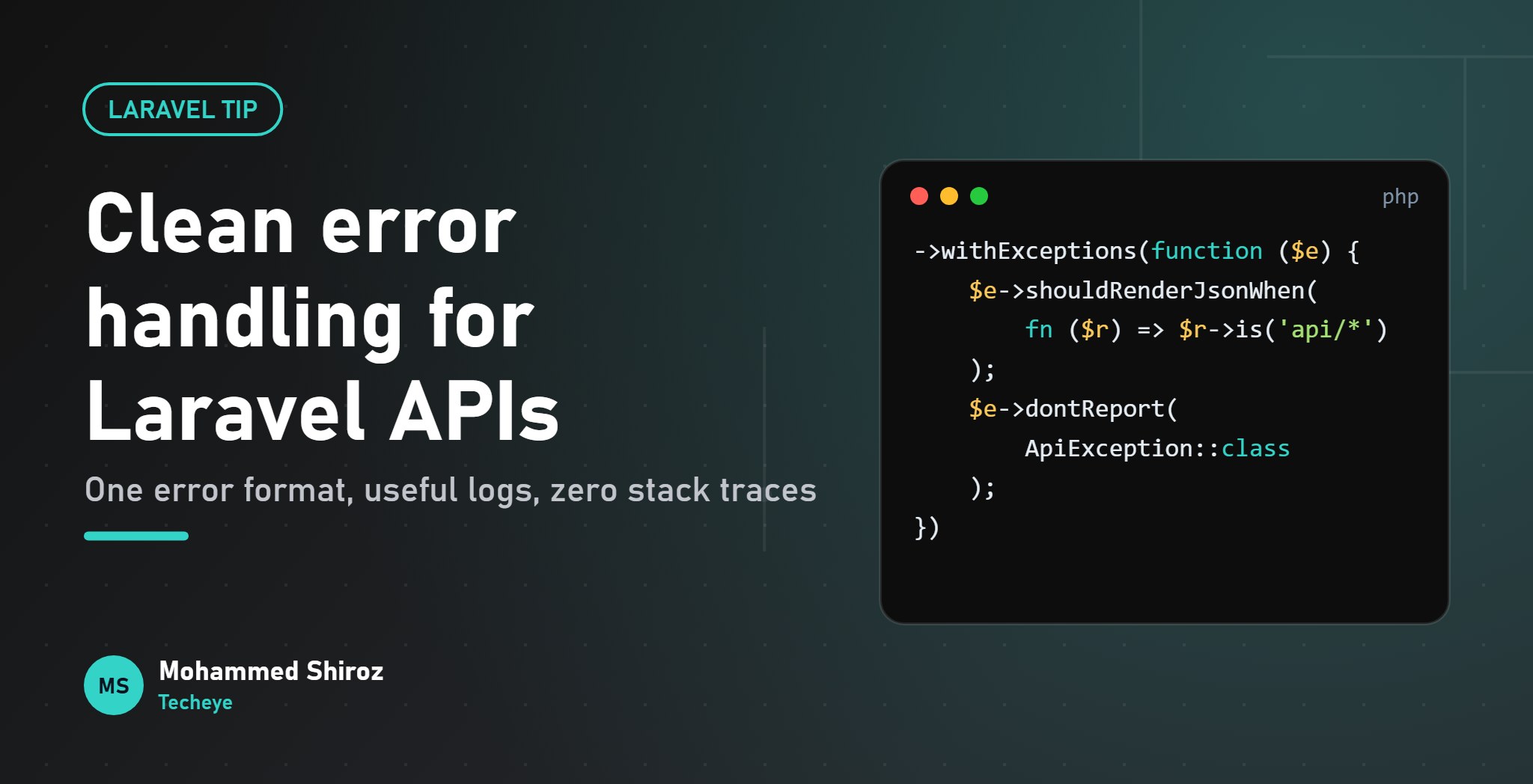
Clean Error Handling in Laravel APIs: One Format, No Leaked Stack Traces
About Post
Call a typical API's happy path and everything is lovely: clean JSON, sensible keys, the right status code. Now send it something it doesn't like.
A missing record returns {"message": "No query results for model [App\\Models\\Contract] 4182"}. A failed permission check returns a different shape. A business rule returns {"error": true, "msg": "..."} because someone wrote it by hand in a controller. And one forgotten route returns a full HTML error page to a React Native app that was expecting JSON.
Errors are part of your API contract, and usually the most neglected part. The good news: in Laravel 12, fixing this mostly happens in one place.
Step 1: decide what an error looks like
Before writing code, agree on one shape. Mine is deliberately small:
{
  "message": "This contract has already been signed.",
  "code": "contract_already_signed",
  "errors": {}
}messageis for humans. Safe to show in the app.codeis for machines. The mobile app switches oncontract_already_signed, never on the wording of a message that someone will "improve" next month.errorsappears only for validation failures, keyed by field.
Notice this matches what Laravel already returns for validation errors (message plus errors, status 422). That's on purpose. Work with the framework's defaults instead of fighting them.
Step 2: make sure API requests always get JSON
Laravel decides between an HTML error page and JSON by asking whether the request "expects JSON", which depends on the Accept header. Well-behaved clients send Accept: application/json. Not every client is well behaved, and webhooks and quick scripts often send nothing.
In Laravel 12 the exception configuration lives in bootstrap/app.php, inside withExceptions. Tell it that anything under /api gets JSON, no matter what the client sent:
use Illuminate\Foundation\Configuration\Exceptions;
use Illuminate\Http\Request;

->withExceptions(function (Exceptions $exceptions): void {
    $exceptions->shouldRenderJsonWhen(
        fn (Request $request, Throwable $e) => $request->is('api/*') || $request->expectsJson()
    );
})
That one closure removes the "HTML page in my mobile app" class of bugs entirely.
Step 3: give business errors their own exceptions
The messiest errors are usually business rules: a contract that's already signed, a payment for an invoice that's already paid, a booking outside opening hours. These often end up as hand-written return response()->json(...) calls scattered across controllers, each with its own shape.
Instead, create a small base exception that knows how to render itself:
abstract class ApiException extends Exception
{
    protected int $status = 400;
    protected string $errorCode = 'bad_request';

    public function render(Request $request): ?JsonResponse
    {
        if (! $request->is('api/*') && ! $request->expectsJson()) {
            return null; // let Laravel handle web requests normally
        }

        return response()->json([
            'message' => $this->getMessage(),
            'code' => $this->errorCode,
        ], $this->status);
    }
}
Small gotcha: it's $errorCode, not $code. PHP's base Exception already has an integer $code property, and redeclaring it as a string won't end well.
Each business error is now a few lines, and reads like documentation:
final class ContractAlreadySigned extends ApiException
{
    protected int $status = 409;
    protected string $errorCode = 'contract_already_signed';

    public function __construct()
    {
        parent::__construct('This contract has already been signed.');
    }
}
And the controller or service just says what happened: throw new ContractAlreadySigned();. No response building, no status code guessing, the same JSON every time.
Step 4: tidy up the framework's own errors
Laravel converts several exceptions into HTTP errors for you. The one worth customising first is the 404. By default, when findOrFail() fails, the JSON message includes your model's class name and the ID that was asked for. It isn't a stack trace, but it's internal detail your clients don't need.
Laravel converts ModelNotFoundException into a NotFoundHttpException before your render callbacks run, so that's the class to catch:
use Symfony\Component\HttpKernel\Exception\NotFoundHttpException;

$exceptions->render(function (NotFoundHttpException $e, Request $request) {
    if ($request->is('api/*')) {
        return response()->json([
            'message' => 'Resource not found.',
            'code' => 'not_found',
        ], 404);
    }
});
Returning nothing from a render callback means "not my problem", and Laravel carries on with its default handling. That's why the if is safe for web routes.
You can add the same treatment for 403 (AccessDeniedHttpException, which is what a failed policy check becomes) and 429 (ThrottleRequestsException) so the mobile app gets a code for every error it needs to react to.
Step 5: never leak a stack trace
This is the one that matters for security. With APP_DEBUG=true, Laravel's JSON errors include the exception class, file paths, line numbers and the full trace. Lovely on your laptop. A gift to attackers in production: framework versions, folder structure, sometimes SQL.
With APP_DEBUG=false, an unexpected exception renders as a plain {"message": "Server Error"} with status 500. So the rule is simple:
Production rule: APP_DEBUG=false, always, on every server that real users can reach. Put it in your deployment checklist and verify it, because a staging .env copied to production is how this usually goes wrong.
Also check your own code. A catch (Exception $e) { return response()->json(['error' => $e->getMessage()]); } in a controller leaks database errors straight to the client, debug mode or not. Database exception messages can include table names and the query itself.
Step 6: log what you hide
Hiding details from users is only half the job. The other half is making sure you can still find them.
- Don't log expected errors. A tenant trying to sign an already-signed contract is not an incident. Tell Laravel not to report them:
$exceptions->dontReport([ApiException::class]);. It matches subclasses too. - Do log the unexpected ones, with context. Laravel logs unreported exceptions automatically, and adds the authenticated user's ID when there is one.
- Add a request ID. A tiny middleware ties the user's complaint to the exact log line.
public function handle(Request $request, Closure $next): Response
{
    $requestId = (string) Str::uuid();

    Log::withContext(['request_id' => $requestId]);

    $response = $next($request);
    $response->headers->set('X-Request-Id', $requestId);

    return $response;
}
Because Laravel turns exceptions into responses inside the middleware pipeline, the header is added to error responses too. When support says "the app showed an error", the app can show or send that ID, and you search the logs for it instead of guessing. (This pattern is straight from the Laravel logging docs.)
The checklist
- One error shape:
message,code, anderrorsfor validation. shouldRenderJsonWhenso/apinever returns HTML.- Business rules as small exception classes that render themselves.
- Custom 404/403/429 responses without internal class names.
APP_DEBUG=falsein production, and no$e->getMessage()sent to clients.- Expected errors not reported; unexpected ones logged with a request ID.
The code above is simplified, but the structure scales well: new error, new tiny class, done. The client developers will thank you, especially if one of them is also you.
What does your API's error format look like? Do you include a machine-readable code, or rely on status codes alone?
01. About Shiroz

Mohammed Shiroz
Hi, I'm Mohammed Shiroz, a software engineer and AI enthusiast from Sri Lanka who turns ideas into intelligent, real-world solutions. With over 9 years of hands-on experience, I currently lead real estate ERP development at Kate Group, a...
02. Latest Posts


03.My Projects






 United Kingdom
 Cyprus
 United States
 France
 Brazil
 Netherlands
 China
China
 Germany
 Canada
 Sweden
 United States
 Singapore
 Poland
 France
 China
China
Be first to comment it...