

Back to blog
Filter by:
Tags
- Knowledge
- technology
- OOP
- Tips
- Programming
- Tips
- Tutorial
- SEO
- Ranking
- Knowledge
- Special Day
- Seo
- Bug
- Data science
- Seo
- artificial intelligence
- Machine Learning
- Robotics
- happyNewYear2021
- newYearEve
- 2021
- Automation
- Smart Home
- Career
- Best Practices
- Git
- Logging
- Web Fundamentals
- DNS
- HTTPS
- Performance
- AI Tools
- ChatGPT
- Claude
- Gemini
- Laravel
- Eloquent
- MySQL
- HTTPS
- TLS
- Web Security
- Certificates
- Developer Life
- Debugging
- Docker
- DevOps
- Transactions
- Queues
- LLMs
- AI
- AI Coding
- Developer Tools
- React Native
- Expo
- Kate PMS
- Mobile Apps
- Laravel
- Authentication
- Sanctum
- Cookies
- API Design
- Payments
- Idempotency
- DeepSeek
- Open Source AI
- LLMs
- AI News
- Git
- Version Control
- AI Coding
- Prompting
- PHP
- Checklist
- MCP
- AI Agents
- OpenAI
- Architecture
- Microservices
- Modular Monolith
- Estimation
- Developer Life
- Project Planning
- Humour
- OAuth
- OpenID Connect
- Authentication
- Embeddings
- Vector Search
- RAG
- pgvector
- OpenAI
- GPT-4.1
- Codex CLI
- Events
- Testing
- Clean Code
- Maintainability
- Code Review
- Webhooks
- API
- Security
- Claude Code
- Workflow
- AI
- LLM
- Prompt Injection
- Mobile
- React
- Networking
- TCP
- UDP
- HTTP/3
- CLAUDE.md
- AWS
- Cloud Security
- Backups
- PHPUnit
- Software Engineering
- Leadership
- Communication
- RAG
- Embeddings
- AI Engineering
- IT Infrastructure
- Networking
- Access Control
- CI/CD
- GitHub Actions
- Gemini CLI
- Claude Code
- JavaScript
- Async/Await
- Node.js
- Promises
- Security
- Cryptography
- Passwords
- MySQL
- Database
- Vibe Coding
- Software Quality
- DNS
- Code Reading
- Onboarding
- Productivity
- Background Jobs
- Developer Humour
- Estimates
- Dev Life
- JWT
- o3-mini
- DeepSeek R1
- Rate Limiting
- Kate PMS
- E-Signing
- Audit Trail
- REST
- GraphQL
- API Design
- Laravel 12
- Upgrade Guide
- Open Source
- Self-Hosting
- Task Scheduling
- Cron
- Secrets
- CORS
- PHP
- PHP-FPM
- OPcache
- GitHub Copilot
- Software Architecture
- Engineering
- TypeScript
- JavaScript
- Type Safety
- AI Security
- React Native
- Product Design
- AI Agents
- Kiro
- Queues
- Redis
- RabbitMQ
- AWS SQS
- Nginx
- Apache
- GPT-5
- gpt-oss
- Clean Code
- Architecture
- Naming
- Documentation
- Career
- ADR
- Teamwork
- Supply Chain
- Kate HRM
- HR Software
- Permissions
- System Design
- Pagination
- SSH
- Linux
- Big O
- Databases
- Laravel Boost
- MCP
- Developer Skills
- Validation
- Databases
- Indexes
- Code Quality
- Deployment
- Developer Humour
- Feature Flags
- Code Review
- Pull Requests
- Docker
- Cursor
- Authorization
- RBAC
- Gemini
- Long Context
- PHP 8.4
- Caching
- Dependency Injection
- Web Performance
- Browser
- CSS
- Database
- Migrations
- ChatGPT
- AI for Developers
- Monitoring
- On-Call
- REST
- Backend
- SQL
- NoSQL
- Database Design
- Coding Agents
- Claude 4
- API Resources
- REST API
- Load Balancing
- Scaling
- AWS
- AI Tools
- Claude
- Sora 2
- CTE
- 2FA
- TOTP
- Programming Languages
- Prompts
- Developer Workflow
- API Gateway
- APIs
- Passport
- API Auth
- Learning
- Burnout
- Developer Growth
- Web Development
- SEO
- Kate Mall
- ChatGPT Atlas
- Agent Skills
- Middleware
- Laravel 12
- Collections
- Context Window
- Monitoring
- Commit Messages
- Self Review
- Growth
- Regex
- Programming Basics
- Text Processing
- Database Design
- Normalization
- Linux
- Server Security
- Linux Foundation
- Open Standards
- Legacy Code
- Documentation
- AI Workflow
- File Uploads
- Test Data
- Hashing
- Performance
- Caching
- Enums
- Scope Creep
- Estimation
- Codex
- Gemini CLI
- Timezones
- Carbon
- Bugs
- PHP 8.5
- Gemini 3
- GPT-5.1
- Data Integrity
- Event Loop
- Async
- Opus 4.5
- AI Models
- React
- Forms
- Frontend
- Backups
- AI Images
- DALL-E
- Midjourney
- Race Conditions
- Concurrency
- Legacy Code
- Refactoring
- Senior Engineer
- Scope
- LLM
- CDN
- Web
- Sub-Agents
- Soft Deletes
- Audit Log
- Concurrency
- AI Learning
- NestJS
- AI Evals
- Policies
- SPF DKIM DMARC
- Unicode
- UTF-8
- Knowledge Graph
- Value Objects
- Technical Debt
- Feature Flags
- Laravel Pennant
- Deployment
- Copilot
- Composer
- Dependencies
- Artisan
- Automation
- AWS S3
- Object Storage
- Cloud
- Small Language Models
- Ollama
- Production
- Sessions
- HTTP
- Mentoring
- SQL
- Virtual Machines
- Web Development
- HTTP/2
- QUIC
- Web Performance
- AI Integration
- LLM API
- SOLID
- OOP
- Hosting
- Serverless
- Merge Conflicts
- Temperature
- AI Development
- Reverse Proxy
- Nginx
- Infrastructure
- Verification
- Passkeys
- WebAuthn
- Teams
- Communication
- Stakeholders
- Monorepo
- CI/CD
- Versioning
- JSON Schema
- Livewire
- Inertia
- Meetings
- Distributed Systems
- Privacy
- Full-Stack
- T-Shaped Skills
- Money
- Notifications
- Web Security
- HTTP Headers
- CSP
- Function Calling
- Load Testing
- k6
- Data Extraction
- Debugging
- WebSockets
- SSE
- Real-Time
- Laravel Reverb
- Infrastructure as Code
- Terraform
- Side Projects
- Laravel Pint
- OpenAPI
- Swagger
- UX
- Multimodal
- Jest
- Pair Programming
- APIs
- Rate Limiting
- Resilience
- Dev Humour
- Design Tokens
- JWT
- API Keys
- Sessions
- PHPStan
- Rector
- Incidents
- Reporting
- Dashboards
- Zero Trust
- IAM
- Search
- Laravel Scout
- Junior Developers
- Mentoring
- Images
- WebP
- AVIF
- Bug Reports
- Let's Encrypt
- Design Docs
- Software Design
- Observers
- Replication
- Accountability
- Data Structures
- Reliability
- LLM Memory
- Error Handling
- Payments
- Payment Gateway
- Webhooks
- PCI DSS
- Observability
- OpenTelemetry
- Personal Brand
- Writing
- Conventions
- Dates
- Scheduling
- Disaster Recovery
- Compression
- Brotli
- Deadlines
- Developer Habits
- State Machines
- Tech Roles
- UUID
- ULID
- Horizon
- Planning
- Engineering Culture
- Ownership
- Soft Skills
- Socialite
- Cost Control
- Collations
- Unicode
- Octane
- PostgreSQL
Categories
//Article title
Laravel N+1 Queries: How to Spot Them and Kill Them for Good
About Post
The page worked fine on your laptop. Twelve rows of test data, instant load. Then it reached production, the table grew, and the same page started to crawl. Nothing in the code changed. The data did.
That's the signature of the N+1 query problem, probably the most common performance bug in Laravel apps. It's not a Laravel flaw. It's the price of Eloquent being so pleasant to use: lazy loading makes relationships feel free, and they are not.
Let's look at how it happens, how to spot it before your users do, and how to make it hard to reintroduce.
The mistake
Here's an innocent-looking controller and Blade loop:
// Controller
$posts = Post::latest()->take(50)->get();

// Blade
@foreach ($posts as $post)
    {{ $post->title }} by {{ $post->author->name }}
@endforeach
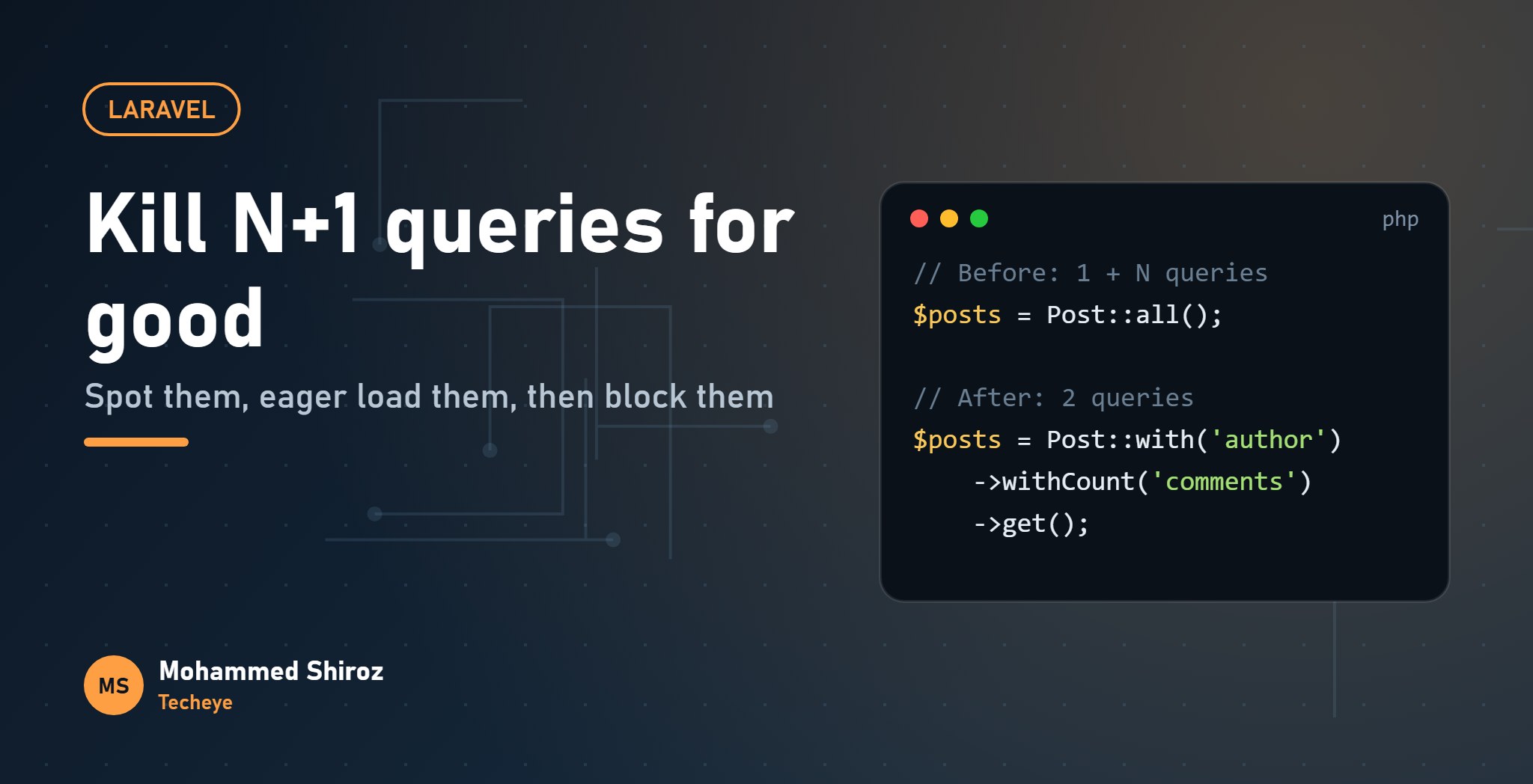
One query loads the 50 posts. Then, inside the loop, every $post->author triggers its own query, because the author wasn't loaded yet. That's 1 query for the list plus N queries for the authors: 51 queries for one page.
Each query is fast on its own, which is exactly why it hides so well. The cost is in the round trips, and it grows with every row you display.
The fix: eager loading with with()
$posts = Post::with('author')->latest()->take(50)->get();Now Laravel runs two queries: one for the posts, and one like select * from users where id in (...) for all their authors at once. It then matches them up in memory. 51 queries become 2, and the number stays 2 whether you show 50 posts or 500.
Nested relations and only the columns you need
Real pages rarely stop at one level. Comments have authors, contracts have tenants and units. Dot notation handles that:
$posts = Post::with([
    'author:id,name',            // only these columns
    'comments.author:id,name',   // nested relation
    'comments' => fn ($q) => $q->latest()->limit(5),
])->get();
Two things to know here:
- When you select specific columns, always include the
idand any foreign key Laravel needs to match the records, or the relation silently comes back empty. - A
limit()inside an eager-load constraint used to apply to the whole query rather than per parent. Since Laravel 11 it is applied per parent record, but if you maintain an older app, check before relying on it.
The sneaky version: counting
This one slips past a lot of code reviews:
{{ $post->comments->count() }} commentsIt looks harmless, but it loads every comment for every post just to count them. Ask the database to count instead:
$posts = Post::withCount('comments')->get();

// in Blade
{{ $post->comments_count }} comments
withCount adds a subquery and gives you a comments_count attribute. There are siblings too: withSum, withAvg, withMax, withExists. On a page that lists invoices with "total paid", withSum('payments', 'amount') saves you from loading every payment row.
Rule of thumb: if you only need a number from a relation, never load the relation. Let SQL do the counting.
Where N+1 hides besides Blade
- API Resources. A resource that does
'author' => $this->author->namefires a query per item. Use$this->whenLoaded('author')so the resource only includes what the controller eager loaded. - Accessors and
$appends. An appended attribute that touches a relation runs for every model you serialise. - Queued jobs and loops in commands. No page is slow, so nobody notices, until the nightly job takes hours.
- Policies. A policy that checks
$user->rolesinside a list can do it once per row.
If a model is already loaded and you need to add relations, use $posts->load('tags'), or loadMissing() to skip ones that are already there.
How to spot it
Laravel Debugbar (the barryvdh/laravel-debugbar package) shows the query count for every page in local development. Get used to glancing at it. If a list page shows dozens of near-identical queries that differ only by an ID, you've found one.
Laravel Telescope records requests, queries and jobs, which is useful for API endpoints and queued work where there's no page to put a toolbar on.
But tools you have to look at only catch problems when you look. The real win is making Laravel complain for you.
Kill it for good: preventLazyLoading
Add this to the boot() method of your AppServiceProvider:
use Illuminate\Database\Eloquent\Model;

public function boot(): void
{
    Model::preventLazyLoading(! $this->app->isProduction());
}
Now, outside production, any lazy-loaded relation throws a LazyLoadingViolationException. The N+1 you just wrote fails loudly on your machine, in your tests, and in CI, instead of quietly in front of users.
Why not in production? Because a crash is worse than a slow page. If you want visibility there, you can log violations instead of throwing:
Model::handleLazyLoadingViolationUsing(function ($model, $relation) {
    logger()->warning('Lazy loading detected', [
        'model'    => get_class($model),
        'relation' => $relation,
    ]);
});
If you want even stricter defaults, Model::shouldBeStrict() also turns on protection against silently discarded mass-assignment attributes and against accessing attributes that weren't selected.
One honest note: switching this on in an existing app can surface a lot of violations at once. That's not a reason to skip it. Fix them page by page; each one is a real query you're removing.
The checklist
- Every list page and API collection uses
with()for the relations it displays. - Counts and sums come from
withCount/withSum, not from loaded collections. - API Resources use
whenLoaded(). preventLazyLoadingis on outside production.- You glance at the query count before opening a pull request.
The official eager loading docs cover a few more variations worth knowing, like morph relations.
Where did your worst N+1 hide: Blade, an API Resource, or somewhere stranger?
01. About Shiroz

Mohammed Shiroz
Hi, I'm Mohammed Shiroz, a software engineer and AI enthusiast from Sri Lanka who turns ideas into intelligent, real-world solutions. With over 9 years of hands-on experience, I currently lead real estate ERP development at Kate Group, a...
02. Latest Posts


03.My Projects






 United States
 Sri Lanka
 Sweden
 United States
 Sri Lanka
 Russia
Be first to comment it...